
Present classes
Discover the Sports for kids Course
Beginner Level
Why?
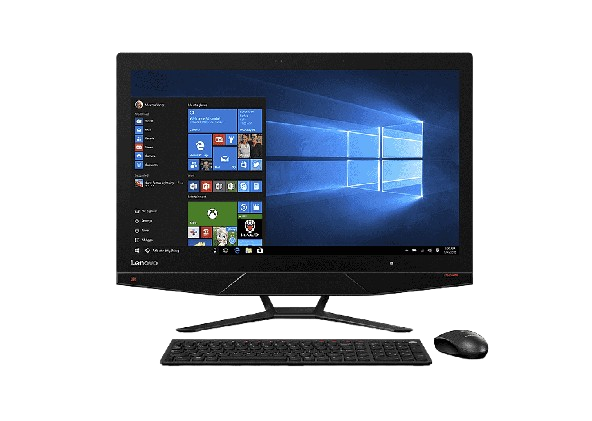
Introduction to PC Windows for Beginners — Click, Learn & Explore!
Want to help beginners start exploring computers in a simple and natural way? Begin with PC Windows for Beginners – Click, Learn & Explore!
This course introduces first-time users to the world of computers through step-by-step lessons, clear visuals, and interactive practice. Bit by bit, they’ll learn how to use the mouse, open programs, organize files, and navigate Windows — building digital confidence and essential computer skills while having fun.
Learners will discover simple Windows concepts like the desktop, folders, settings, typing, and everyday tools through cheerful visuals, easy exercises, and guided activities. Each lesson is designed to spark curiosity, strengthen memory, and make learning computers an exciting adventure.
Perfect for beginners with no prior experience needed. Every session turns Windows learning into joyful discovery — filled with clear steps, practice, and confidence-building moments that help learners connect technology with real life.
Recommended for kids from 5 —> 13 years old
- ✅ Free Course Materials
- ✅ Free trial session
- ✅ Learn at your own pace, anytime, anywhere
- ✅ Lifetime access to the full course
- ✅ Attendance Certificate
- ✅ Support via WhatsApp
- ✅ Course updates included
How it works:
1- Enroll by pressing on: “Save your spot now”
2- Fill the form and we will contact you via WhatsApp
3- Get full access to the platform and video lessons
4- Watch and practice at your own pace
5- Schedule your 1-on-1 session anytime
6- Chat with your teacher on WhatsApp if you need support
This course is for you if..:
- Introduction to PC Windows for Beginners — Click, Learn & Explore!
- You’re a beginner with little or no experience in using computers, navigating Windows, or managing basic digital tasks.
- You want to learn how to use a computer step by step — from turning it on, using the mouse and keyboard, to opening programs, saving files, and exploring the internet safely.
- You’re curious about real-world techniques like using simple step guides, visuals, repetition, and hands-on practice to build confidence in everyday computer use.
- You’re a student, professional, or adult learner looking for a fun and stress-free way to start your digital journey and make Windows part of your daily life.
- You’ve struggled to understand computers before, felt overwhelmed by technology, or don’t know where to begin — and want clear, supportive, and beginner-friendly guidance.
- This course gives beginners a simple and joyful introduction to Windows — using visuals, practice exercises, and guided steps to make every session an exciting, safe, and confidence-building digital adventure.
Course Highlights:
- Introduction to PC Windows for Beginners — Learning Through Click & Discovery
- Understand how early exposure to computers supports digital confidence, why visuals, step-by-step practice, and repetition are key for building skills, and how guided exercises make learning Windows natural and joyful from the very start.
- Navigation, Confidence & Repetition-Based Learning
- Learn how to introduce beginners to Windows — starting with simple actions like using the mouse and keyboard, opening programs, and organizing files — through clear visuals, hands-on practice, and repetition. Build digital confidence, recognize basic tools, and strengthen memory and everyday computer skills.
- Interactive Windows Sessions & Digital Development
- Explore how to guide beginners through playful, structured computer sessions that support focus, curiosity, and independence — using visuals, step-by-step guides, and interactive activities to make every lesson exciting, engaging, and easy to follow.
- Fun Computer Activities & Practice Exercises
- Practice with interactive mouse games, typing exercises, and simple file-management activities designed to boost confidence, creativity, and a love for technology — all in a safe, supportive environment perfect for complete beginners.
Plans
🔴Plan: Guided Version
$39
✓ Lifetime access to the full course
✓ Learn at your own pace, anytime, anywhere
✓ Attendance Certificate
✓ Free Course Materials
✓ Designed Learning Path
✓ Interactive learning elements (quizzes/tasks)
Welcome to Novelty center
 Novelty Learning
Leave a comment